
An organized inbox
Inbox, sent, drafts and your own folders, with tabs, grouped threads, stars and bulk actions.
Notice about access volume Due to the high traffic generated by our current campaign, the sign-up and contracting pages may be temporarily slow or unstable. Services already contracted and day-to-day operations are not affected.
Inbox, attachments, server search, folders, calendar and contacts on your company domain — with AI to summarize and translate.
Your domain · activation after verification and approval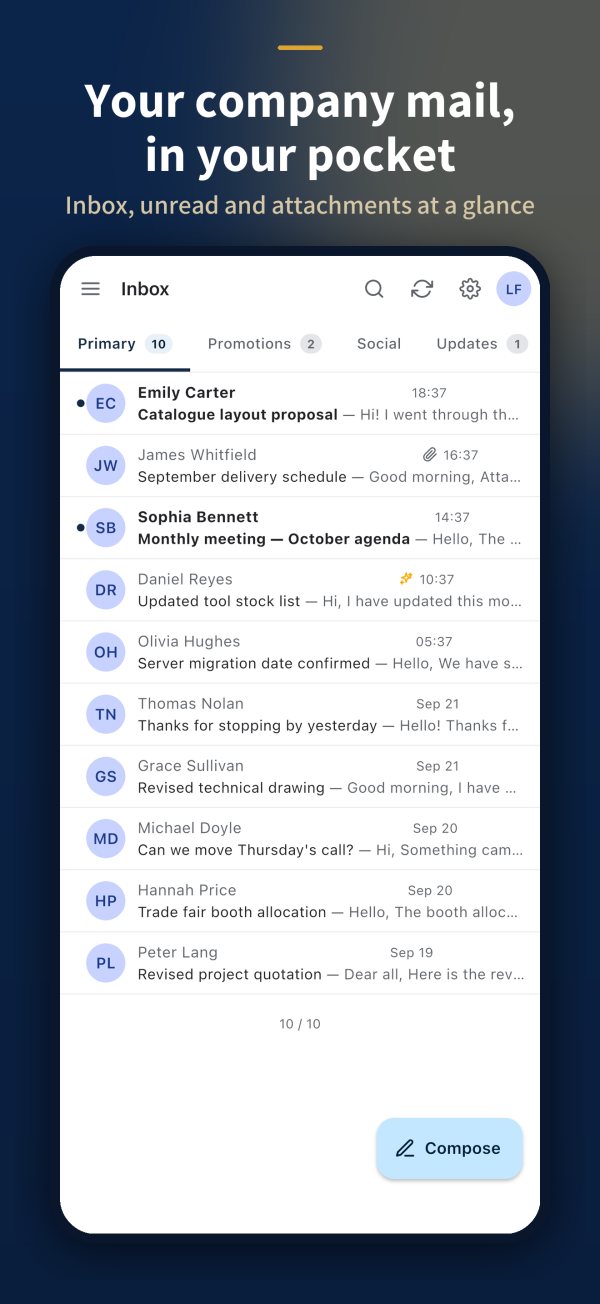
Inbox, sent, drafts and your own folders, with tabs, grouped threads, stars and bulk actions.
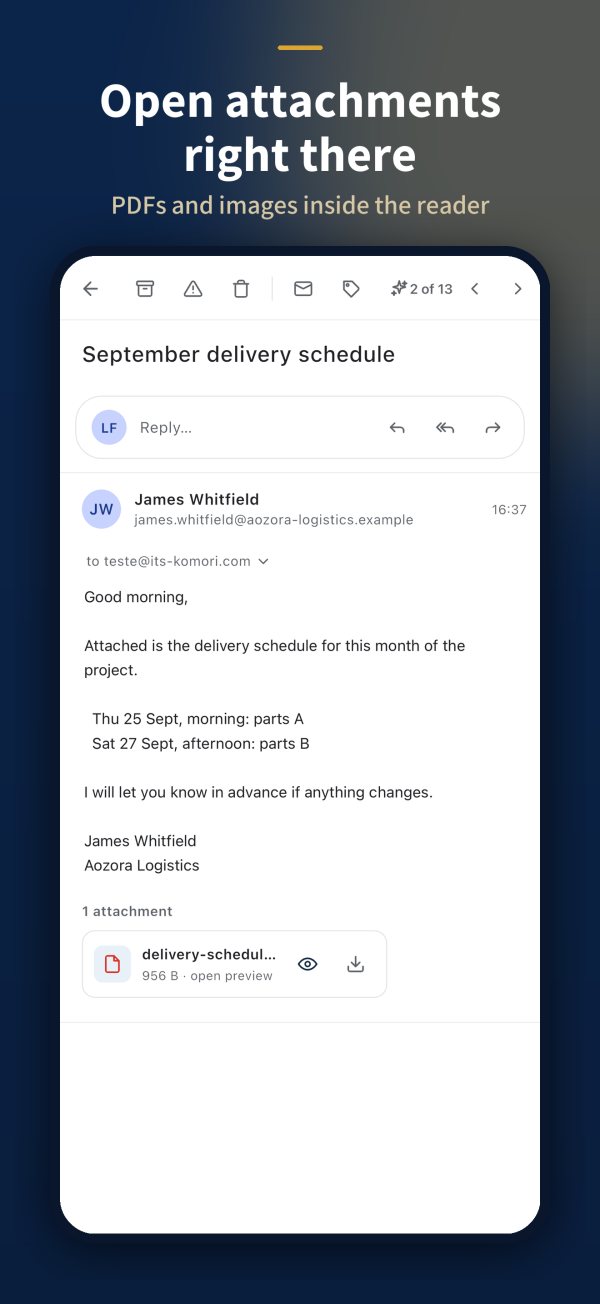
Open PDFs, images and Office files while reading and download when needed.
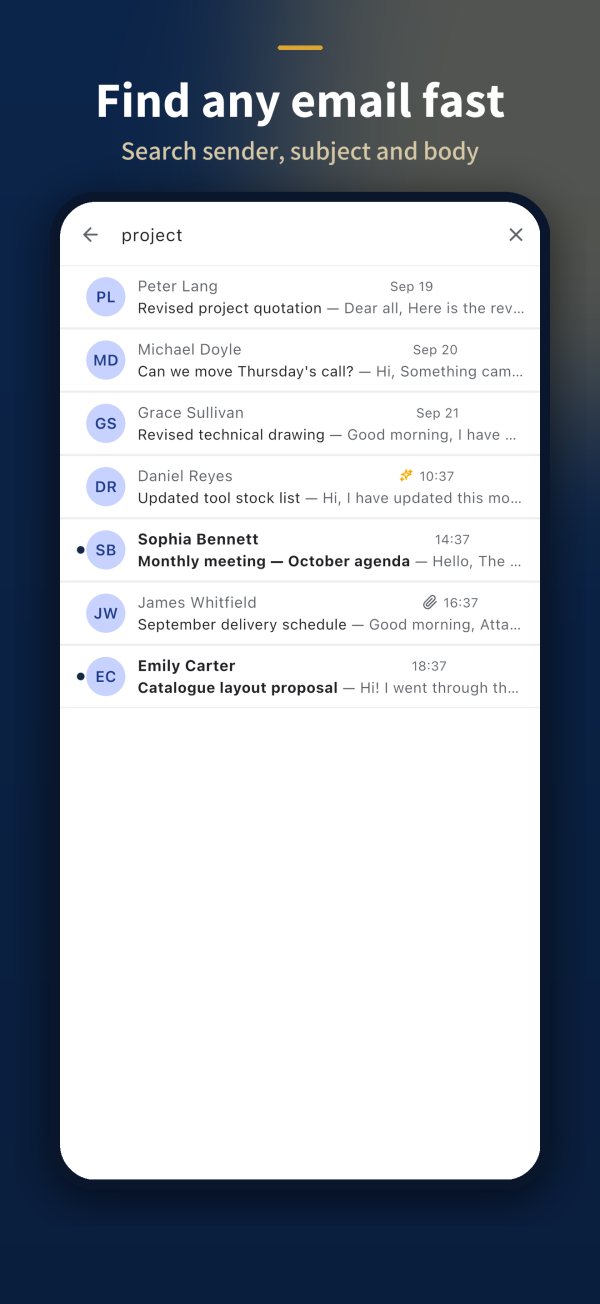
Search sender, subject and body across the whole mailbox, not only what is on the device.
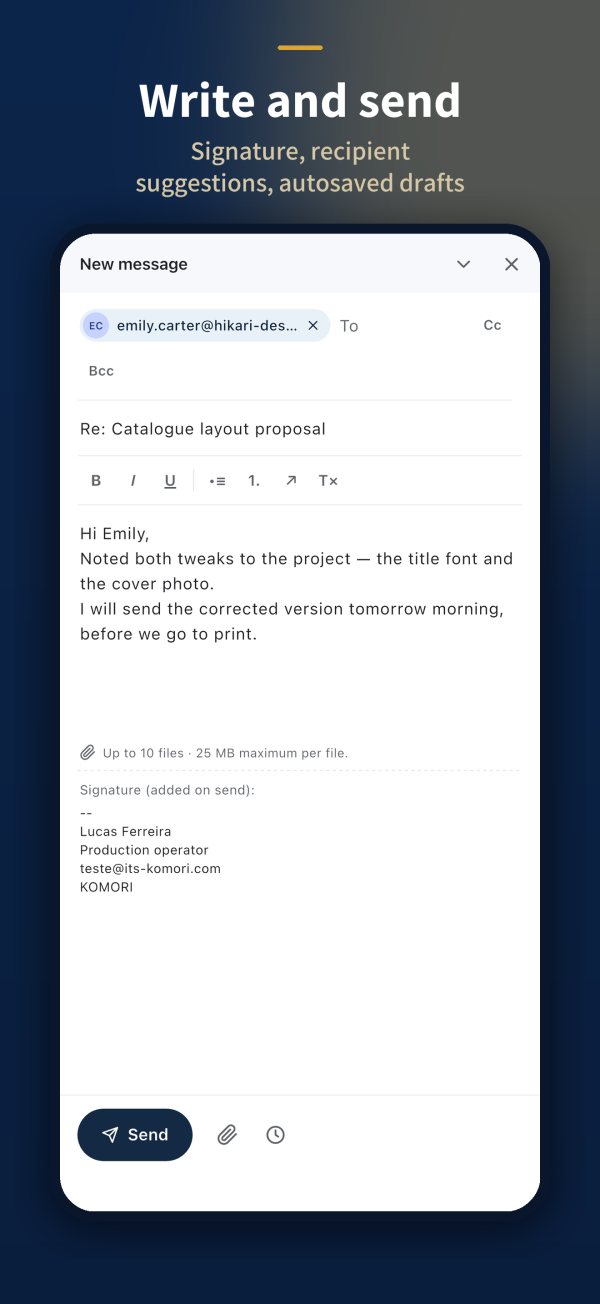
Recipient suggestions, auto-saved drafts, company signature and scheduled sending.
Appointments and contacts next to your mail, in the same app.
Summarize long messages, translate and draft replies with AI.
Product demonstration images. Feature availability depends on the selected plan and configuration.
We map the company domain, mailboxes and shared addresses.
We create mailboxes and signatures and plan the switch with the team.
Everyone signs in from the browser or app with the account issued by the company.
Mailboxes of 500 MB, 1 GB or 2 GB. Your own domain and MX, SPF, DKIM and DMARC configuration are required. Registration does not mean immediate activation.
Pricing is quoted by number of mailboxes, storage and AI use.
Per mailbox, on the company domain
Web and mobile
Request a demo →+ Summarize, translate and draft replies
Guided implementation
Request a demo →Check current terms on the registration page or with our sales team. Android and iPhone apps: see “Apps” below. Web access is available.
Register your domain and configure the indicated DNS records. Activation requires verification and Komori approval; the company then manages its users’ mailboxes.
Yes. Search runs on the server: sender, subject and body.
No. The AI acts only when asked: summarize, translate or draft.
They are being published on the App Store and Google Play. Browser access is already available.

On your phone, use the official app. The web version keeps working.
 Android · v1.2.0
 iPhone · iPad · v1.2.0
Tell us how your company works. Komori helps you choose the next step.