
Register once, inspect every day
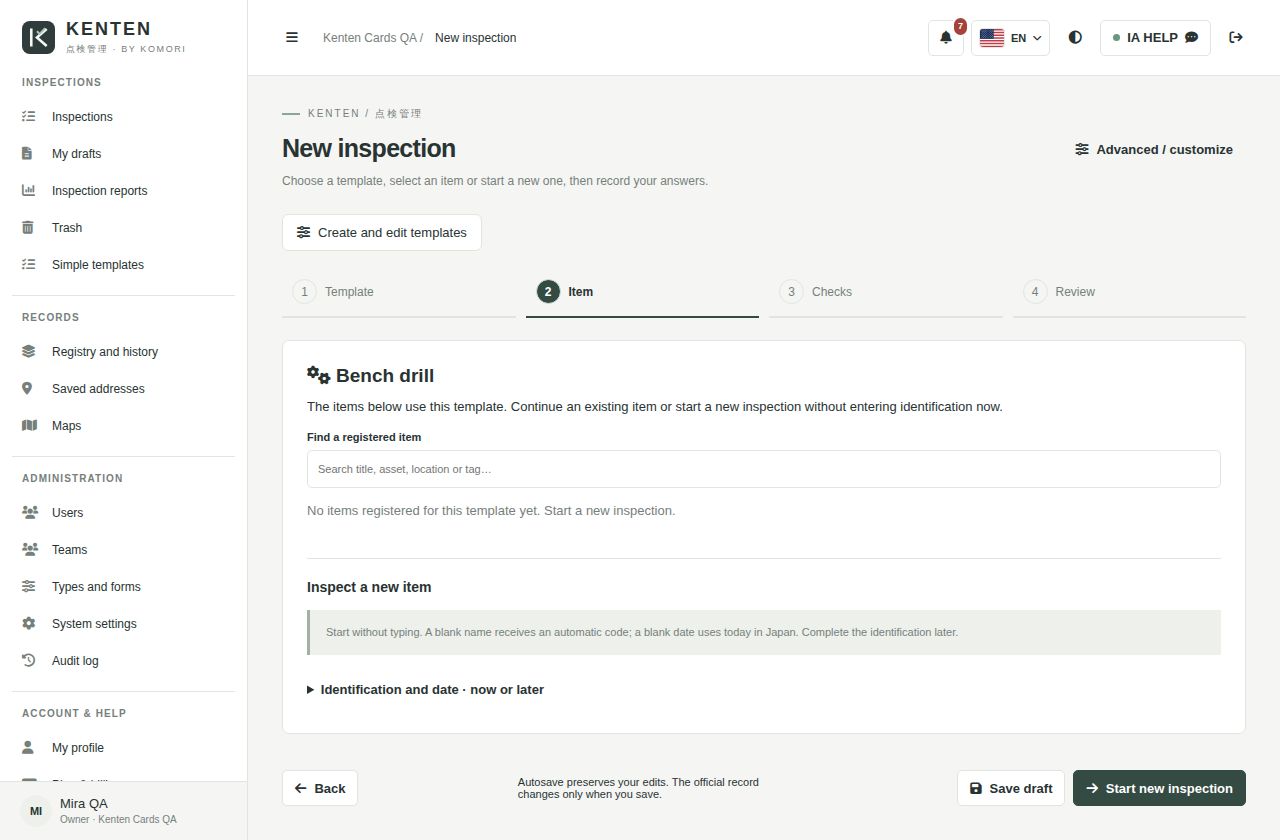
Register equipment once. Next time, choose the item and record today’s results.
Notice about access volume Due to the high traffic generated by our current campaign, the sign-up and contracting pages may be temporarily slow or unstable. Services already contracted and day-to-day operations are not affected.
From machinery and construction to vehicles and team routines: choose a template, check the items and keep every result in its history.
✓ Free, no card required · Mobile, tablet and desktop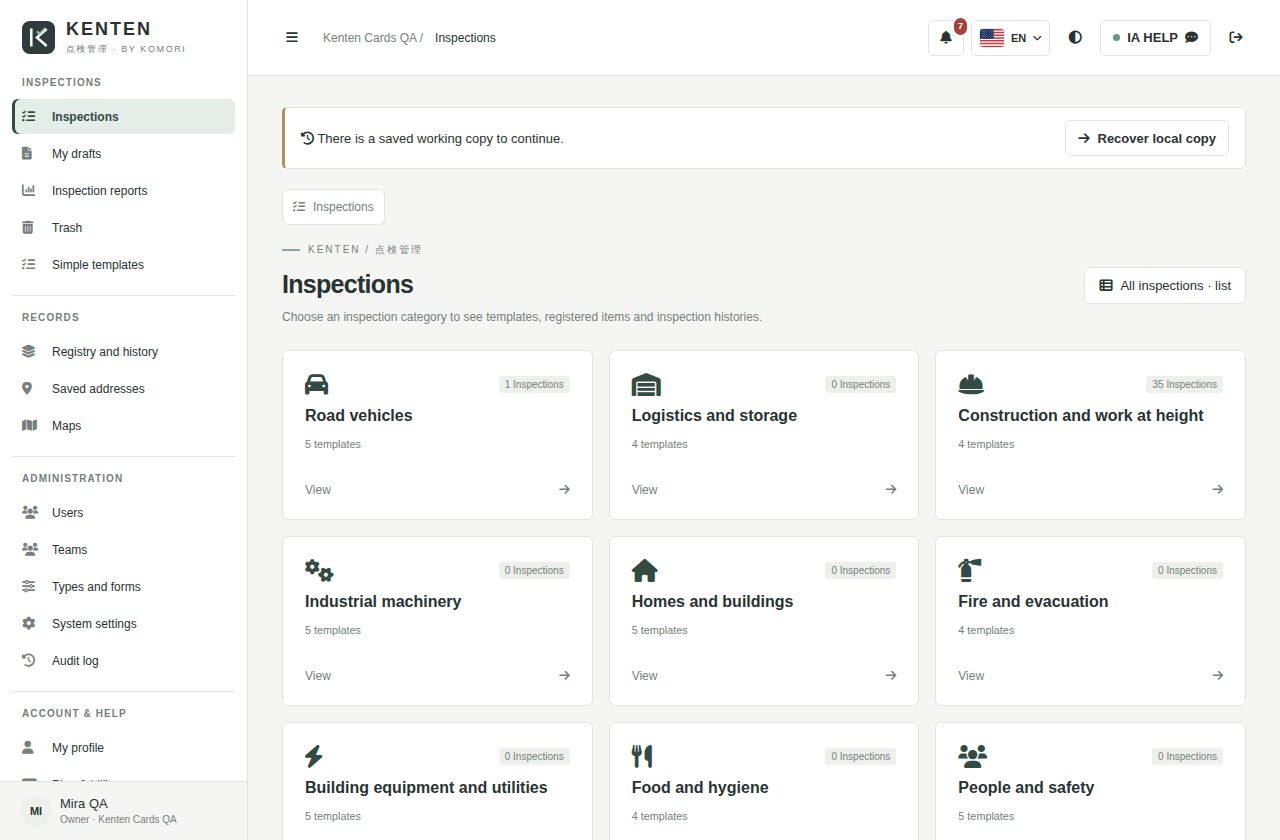
Register equipment once. Next time, choose the item and record today’s results.
Vehicles, machinery, construction, facilities and services, organized by category.
Select results and confirm. Add photos and notes when needed.
Review previous records, compare outcomes and filter by date, inspector and status.
Print a form, complete it on site and upload a photo for reading. Review before saving.
Start adds teams and custom templates. Business includes map uploads and layer editing.
Enter company and contact details, verify your email and get a Free workspace.
Choose a category and use a ready checklist for your routine.
Answer, confirm and review the history. Continue the next day without registering everything again.
Upload a site plan or draw your map. Organize elements in layers, adjust colors and include the layout in your printed record.
Business feature · not required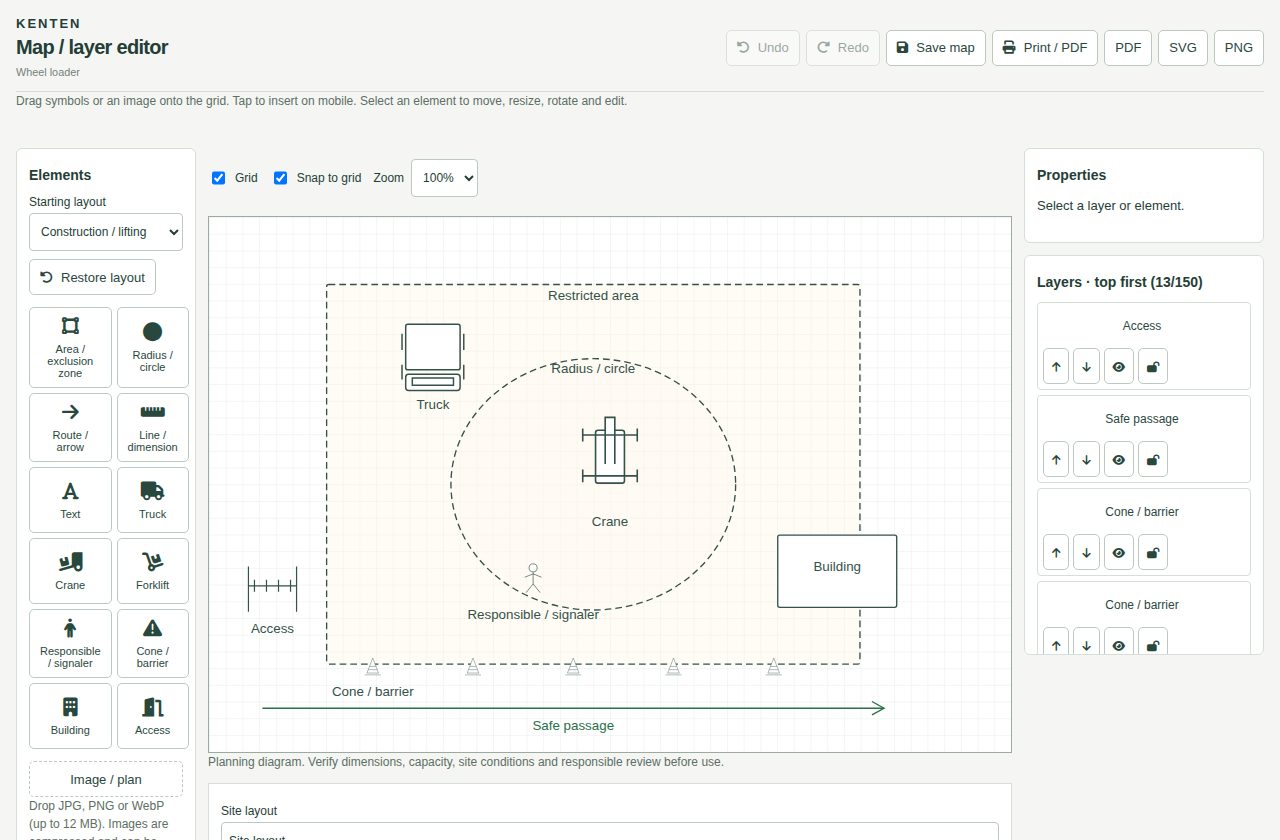
Monthly prices in yen, including 10% tax. Features and limits depend on the plan. Check the current offer during registration.
Base ¥0 + tax ¥0
Base ¥3,000 + tax ¥300
Base ¥9,000 + tax ¥900
Registration creates a Free account. Subscribe to Start or Business under Plan and billing in Kenten.
No. Customers sign in with email and password. Internal KOREOS users retain SSO.
No. It is an optional Business feature. Upload a map or draw it in layers.
They are adaptable operational references. The responsible person checks applicable requirements, frequency and qualifications.
Registration starts on Free. A paid subscription requires checkout. Displayed prices include 10% tax.
Paid plans let you purchase seats beyond the included limit under Plan and billing. Each extra user costs ¥500/month including tax. Review the total and prorations before confirming. Seats renew until you reduce the purchased quantity; deactivating a person frees a seat but does not reduce billing. Unavailable on Free.

On your phone, use the official app. The web version keeps working.
 Android · v1.0.7
 iPhone · iPad · v1.0.4
Start with one routine. See the results. Expand when you need to.