
 available · v1.6.6
 available · v1.6.8
Chats and groups
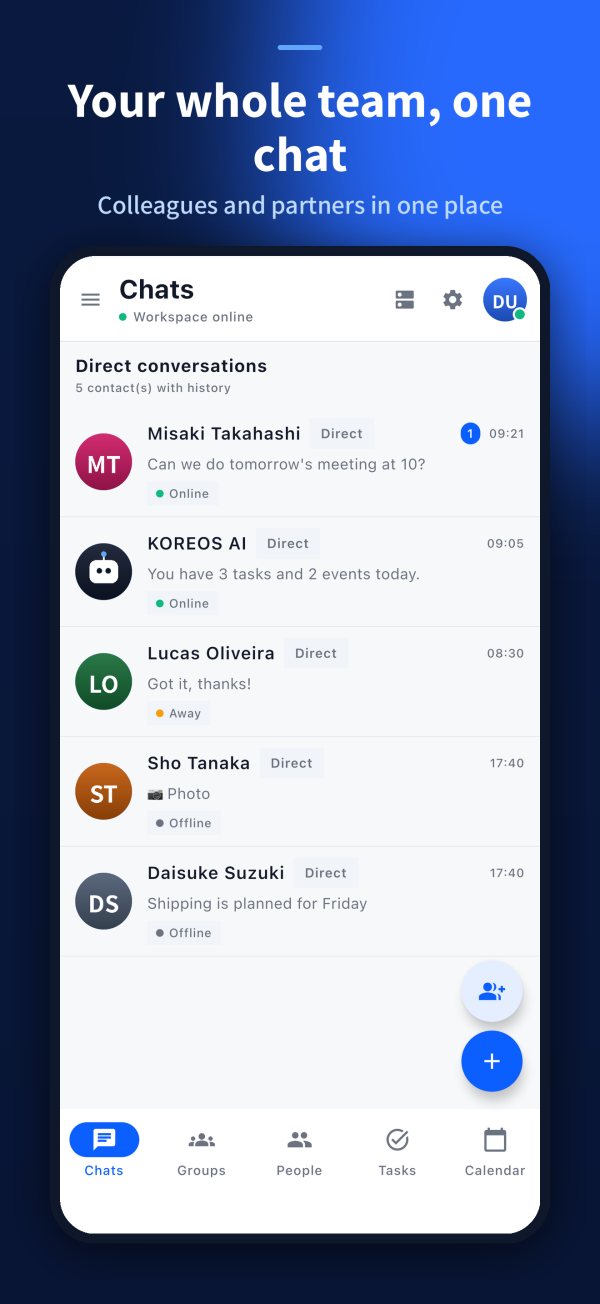
One-to-one chats and groups by team, department or project, with read receipts, reactions and replies.
 KOCHAT
Chats, groups, attachments and audio in a company messenger — with tasks, calendar and reports alongside. AI and omnichannel on higher plans.


Four outcomes customers can understand immediately.
One-to-one chats and groups by team, department or project, with read receipts, reactions and replies.
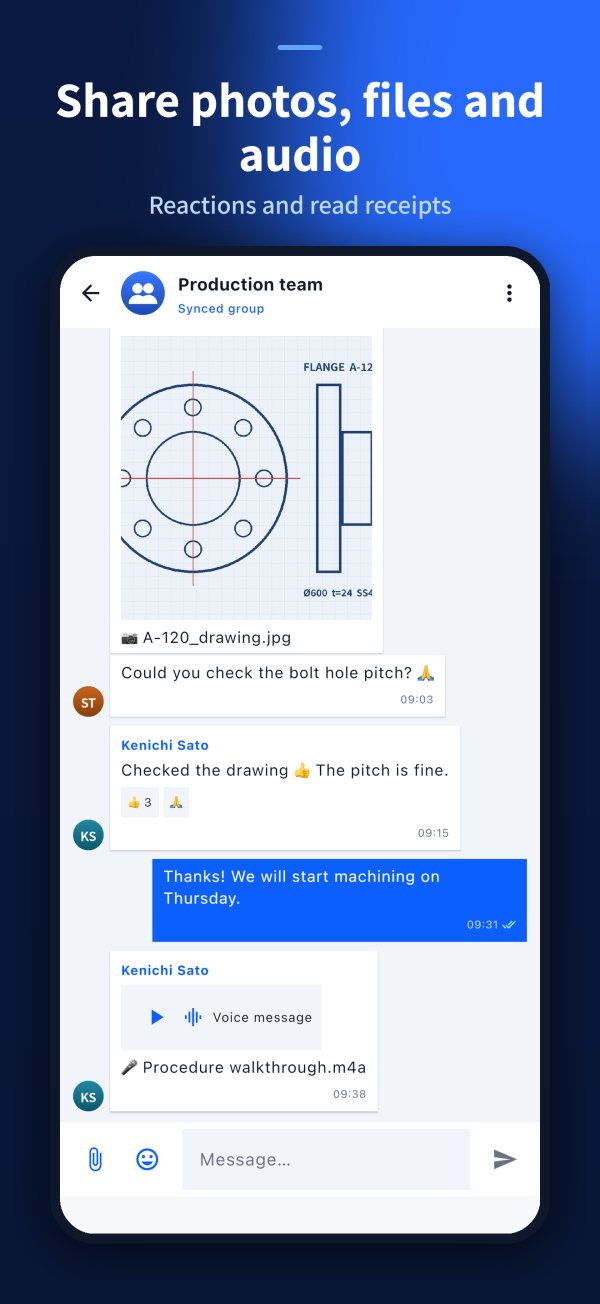
Share photos, PDFs, drawings and voice messages without leaving the chat.
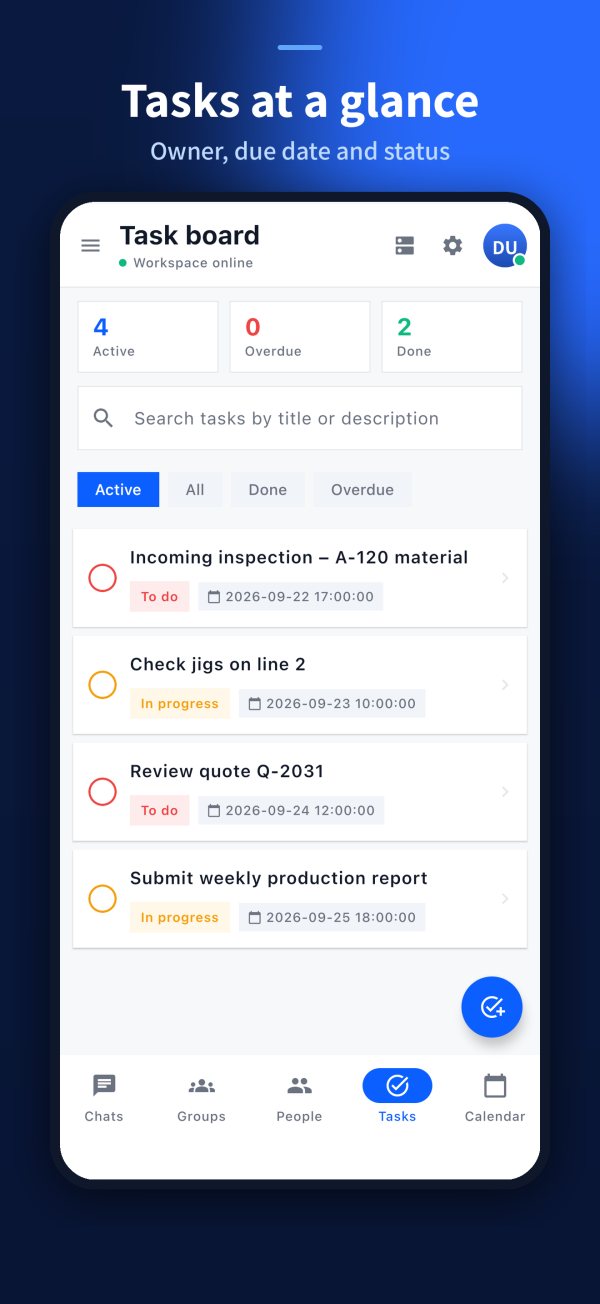
What is agreed in the chat becomes a task with owner and deadline, next to the team calendar.
Issues and requests logged from the phone and followed until confirmed.
 KOCHAT
Clarify the current problem before presenting the solution.
Help sales identify the right customer quickly.
Photos, audio and reports straight from the workplace.
Interface in Japanese, Portuguese and English.
Tasks and calendar next to the chat.
Omnichannel on higher plans.
Connect the conversation to situations already hurting operations.
One-to-one chats and groups by team, department or project, with read receipts, reactions and replies.
Share photos, PDFs, drawings and voice messages without leaving the chat.
What is agreed in the chat becomes a task with owner and deadline, next to the team calendar.
Issues and requests logged from the phone and followed until confirmed.
KOCHATUse this page to connect each capability to a real customer problem.
One-to-one chats and groups by team, department or project, with read receipts, reactions and replies.
Chat listShare photos, PDFs, drawings and voice messages without leaving the chat.
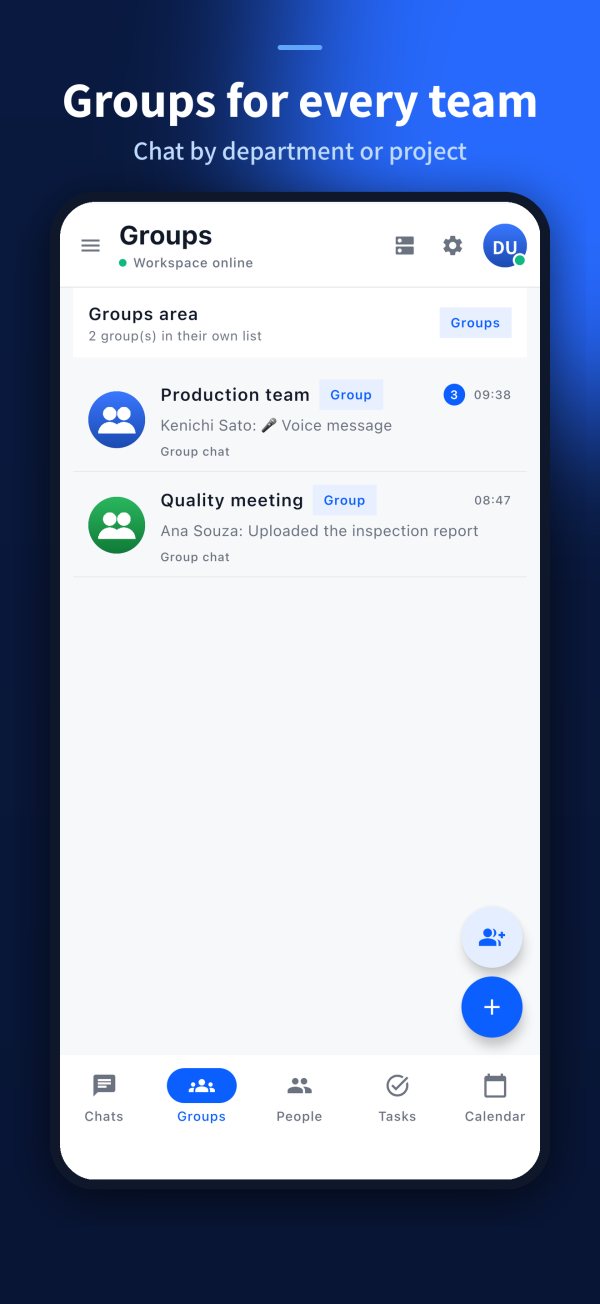
Group chatWhat is agreed in the chat becomes a task with owner and deadline, next to the team calendar.
Tasks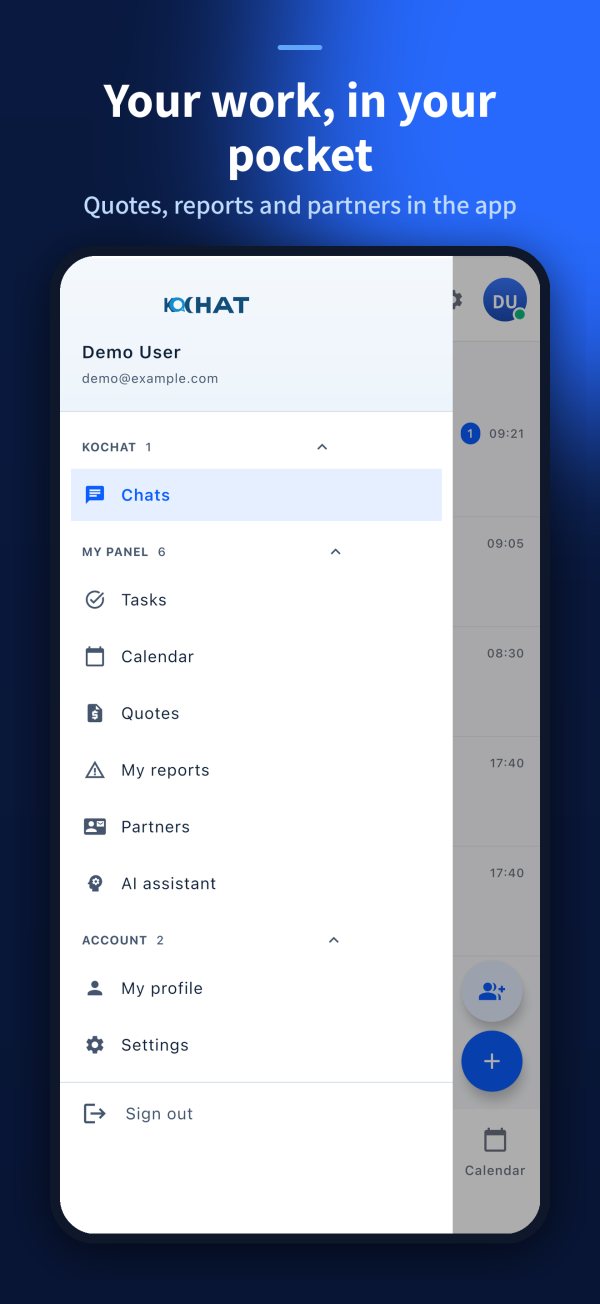
Issues and requests logged from the phone and followed until confirmed.
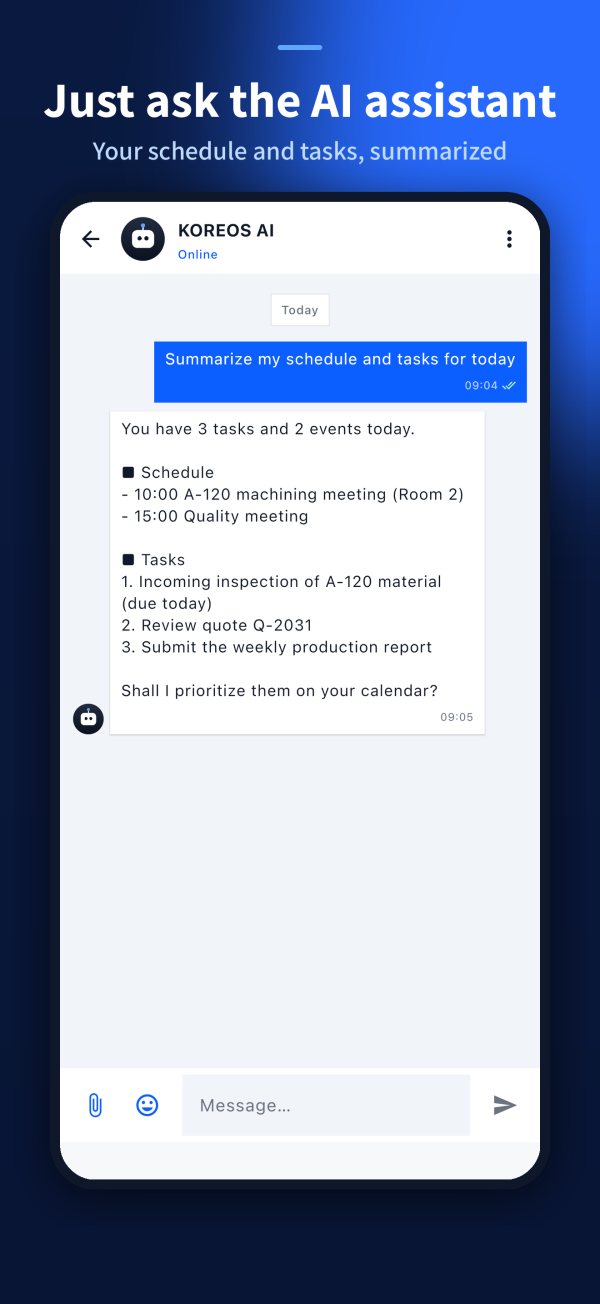
Work menuAsk the company AI inside the chat. Available on higher plans.
AI assistant
External channels handled in the same team workspace. Available on higher plans, as agreed in the proposal.
Customer serviceKOCHATFollow the numbers: show the image, explain the benefit and connect it to the customer routine.
Show that all team talk is in one place, separate from personal apps.
Photo, file, audio, reaction and read receipt — daily work without switching apps.
The agreement gets an owner and deadline and is not lost.
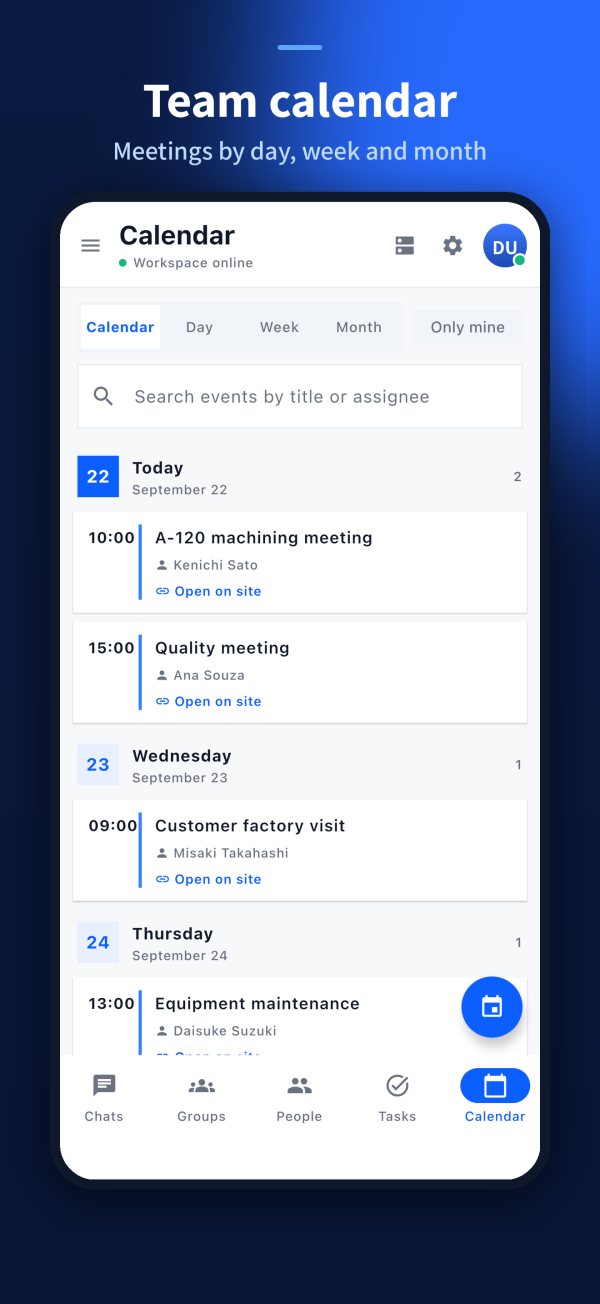
Team appointments next to the conversation.
Departments, projects and shifts organized; the admin controls who joins.
On higher plans, the team asks the company AI inside the chat.
KOCHATA simple guide to explain who does what and what the customer receives at each stage.
We map the teams, groups and channels the company uses today.
→ AI assistantWe set up the workspace, users and first groups.
→ GroupsThe team signs in from the browser or app and starts chatting and recording.
→ Chat listShow the link between daily work, the record and the business benefit.
Without itPersonal apps mixed with work
→With itCompany messenger with team groups
Without itLost in the chat
→With itTask with owner and deadline
Without itHistory leaves with the phone
→With itAccess removed by the administrator
KOCHATThe solution works best when Komori and the customer clearly understand their commitments.
The individual agreement prevails on the same subject, and no document limits mandatory statutory rights.
Use, accounts, data, AI, cancellation and liability.
守Processed data, purpose, retention and rights.
安Safeguards and shared responsibilities.
商Price, payment, delivery, cancellation and refunds.
送Cookies, external providers, sent data and purpose.
規One place to always consult the current version.
KOCHATAsk, listen and only then connect the product to the need.
Where does the team talk about work today?
How many people and teams will use it?
Do agreements and tasks get lost in the chat?
Do you serve customers through external channels?
Short, honest and safe answers for sales conversations.
Yes. Browser, desktop app and mobile apps. App Store and Google Play listings are being published.
No. AI and omnichannel are part of the higher plans.
Any company creates its workspace at chat.its-komori.com/workspace/signup.php (or in the app) and invites its team. The administrator decides who joins and which groups.
Free: free for up to 30 people (100 MB). Standard: ¥540/user/month (annual ¥450), 1 GB. Advanced: ¥960/user/month (annual ¥800), 2 GB, with omnichannel and AI. Prices exclude tax.
Explain what happens after the customer says yes.
We map the teams, groups and channels the company uses today.
We set up the workspace, users and first groups.
The team signs in from the browser or app and starts chatting and recording.
 KOCHAT
Make pricing, terms and the next step completely clear.
Price per user per month, excluding tax (10% consumption tax is added on the invoice). File storage per company: 100 MB, 1 GB or 2 GB. AI and omnichannel on Advanced.
Collect this information for an accurate proposal.
Company and decision maker
Number of users, sites or teams
Priority problem and current process
Desired start date
Integrations, equipment or special conditions
Company information stays with the company — not on everyone’s personal phone.
KOMORI株式会社Phone0532-35-9001
Email[email protected]
Websiteits-komori.com