

01
Parametric modelling
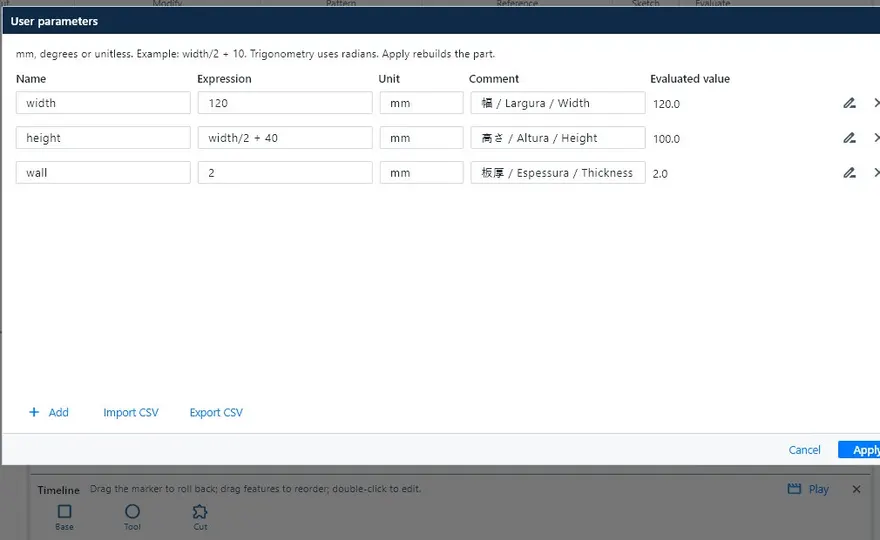
Constrained, dimensioned sketches, extrude, revolve, sweep, loft, fillet, chamfer, shell, rib and patterns. Parameters and formulas (width/2 + 10) and an editable timeline.
3D 建模、钣金展开、焊接结构,最终输出 JIS 图纸、材料清单(部材表)和切割用 DXF。KOMORI 为制造现场打造。
版本 0.31 · Windows · macOS(Intel 与 Apple Silicon)· Linux
这是由 KoCAD 自身生成并导出的演示案例:900 × 450 × 400 mm、43 个零件的平台。切换模式、点击零件,查看 3D → 部材表 → DXF 的流程。

This browser does not support WebGL. The bill of materials and the DXF files below are still available.
The 3D view could not be opened in this browser.
Model, bill of materials and DXF are real files exported by KoCAD from a demonstration case (no customer data). Purchased items (feet and handles) are shown in orange, as in KoCAD, until the supplier code is confirmed. · Software licences
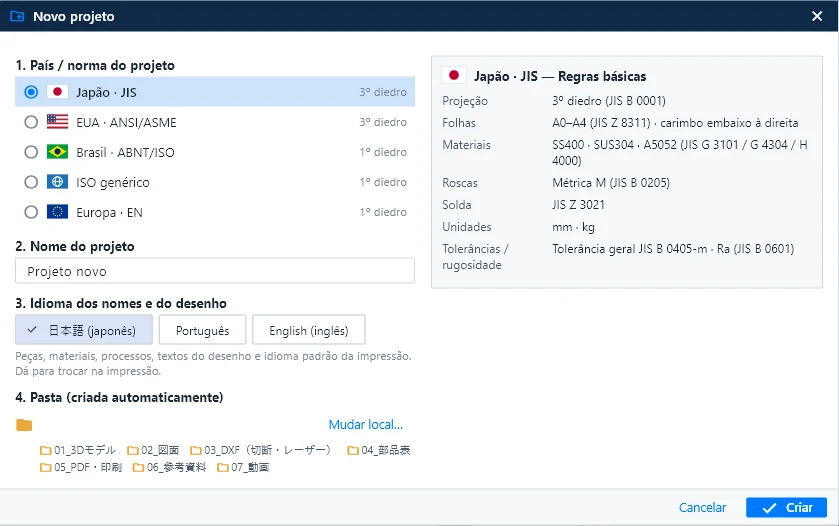
新建(Ctrl+N)、新建装配和新建图纸都从同一窗口开始:国家/标准、名称、图纸语言,以及自动建好的项目文件夹。
材料目录目前为 JIS,其他标准将以标准包形式推出(见“即将推出”)。未经您选择,KoCAD 不会套用 JIS 数据。 查看手册 ↗
只介绍 KoCAD 现在已经能做到的,配真实软件画面。
Constrained, dimensioned sketches, extrude, revolve, sweep, loft, fillet, chamfer, shell, rib and patterns. Parameters and formulas (width/2 + 10) and an editable timeline.
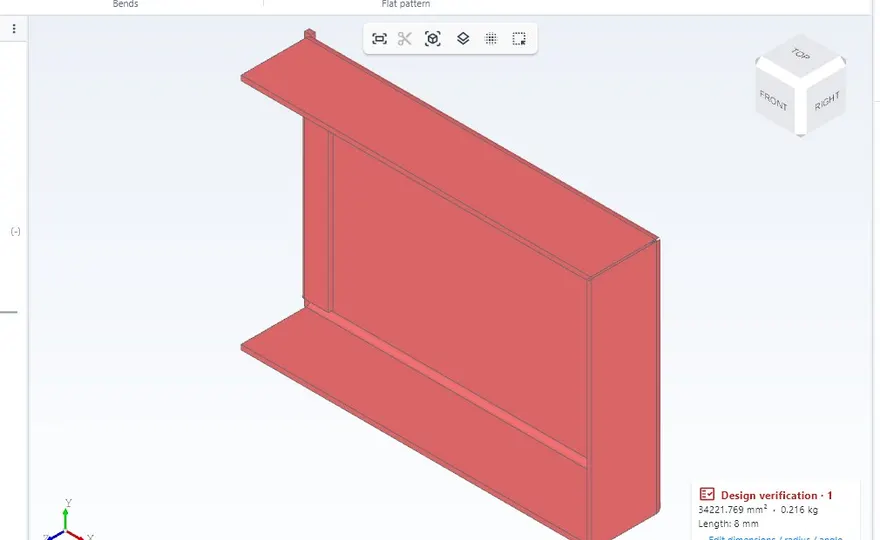
Base flange, edge flanges, hem and sketched bend. Flat patterns with K = 0.44 and a DXF per part, with bend radius, relief and minimum flange rules.
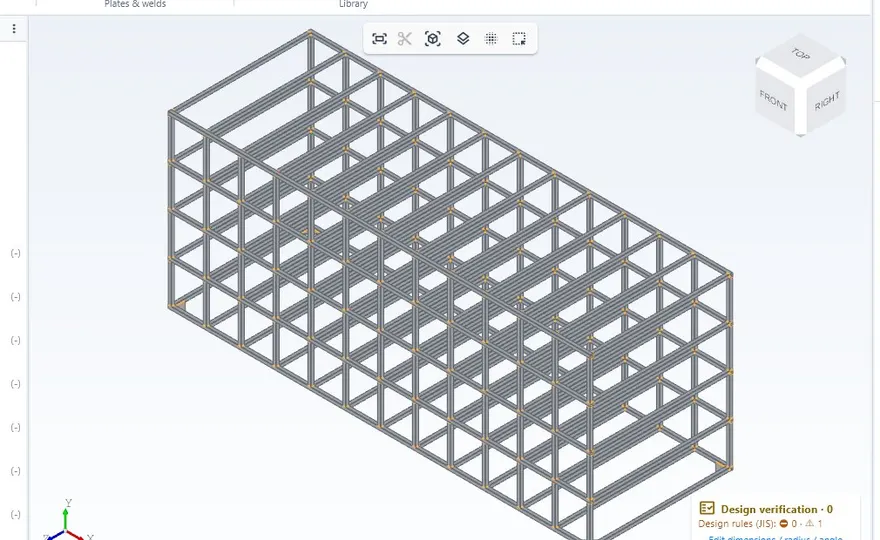
Structural members with JIS profiles, trim and extend, corner treatment, gussets, end caps and weld beads with JIS symbols. Cut list with bar yield.
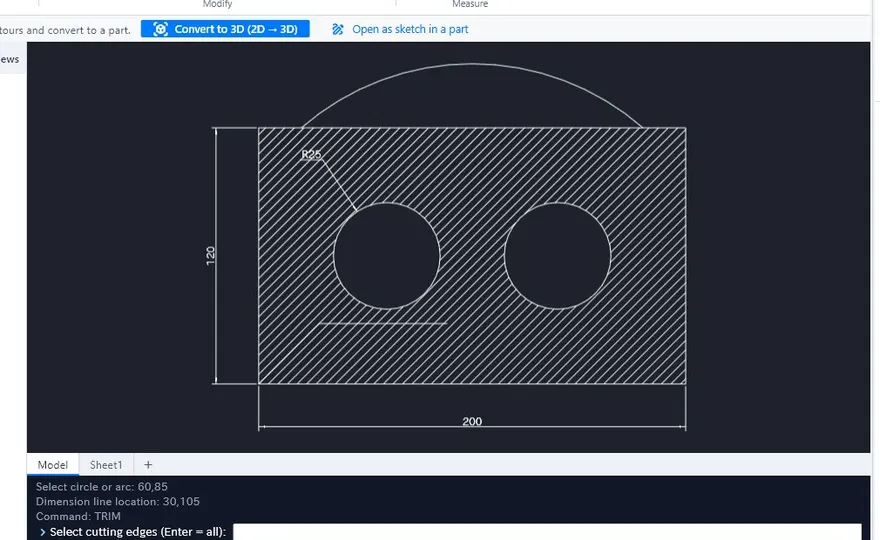
Third-angle views, section, detail and flat pattern, associative dimensions, tolerances, GD&T and balloons. A command line like 2D CAD tools. PDF, DXF and DWG.
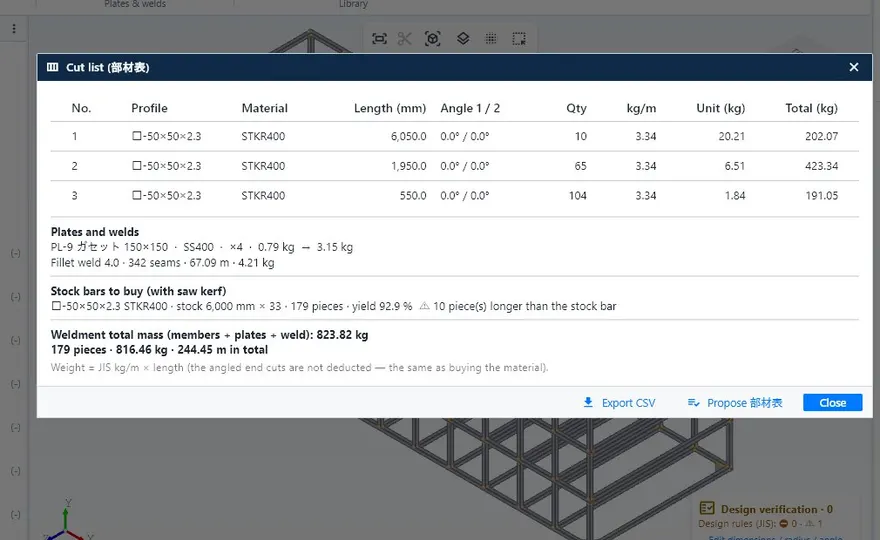
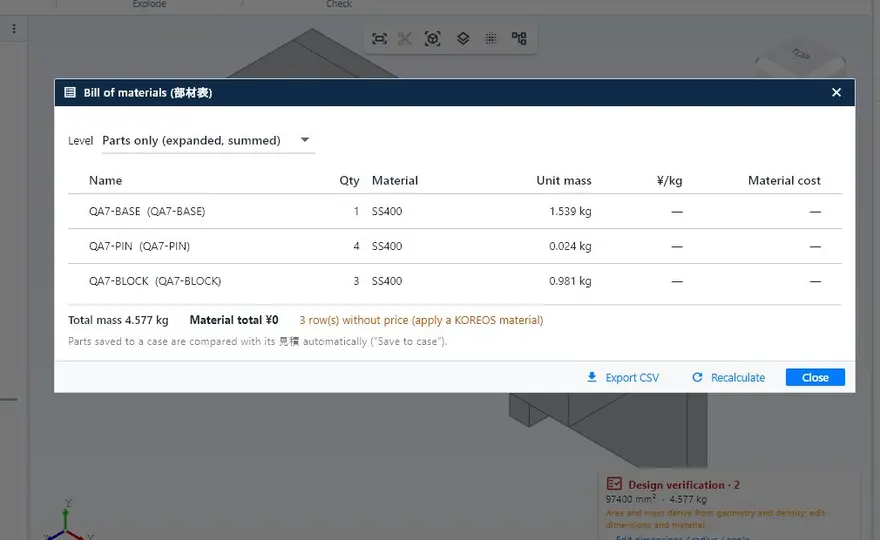
The list comes from the model with profile, length, mass and processes. Export to CSV, Excel or PDF.
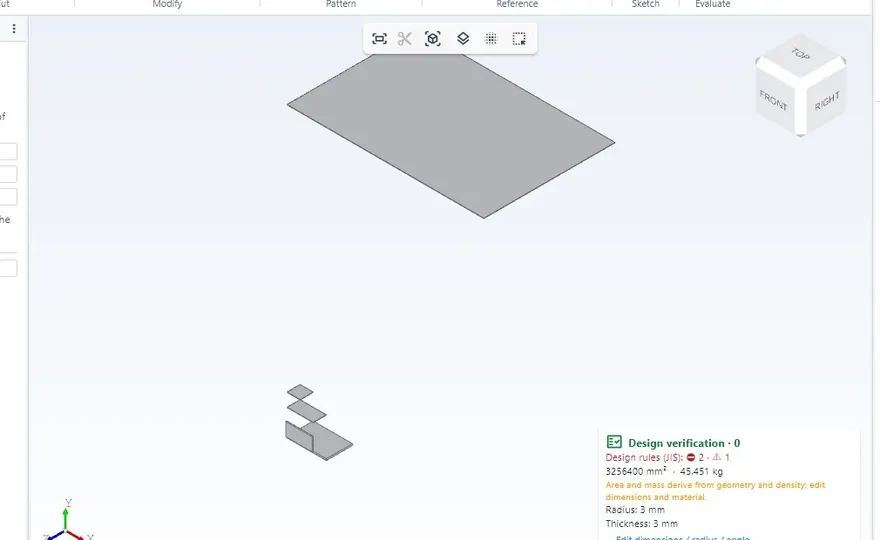
While you model: hole vs bolt, edge distance and pitch, weld vs material, thin sheet, guardrails and stairs. Every warning shows the reason and the source.
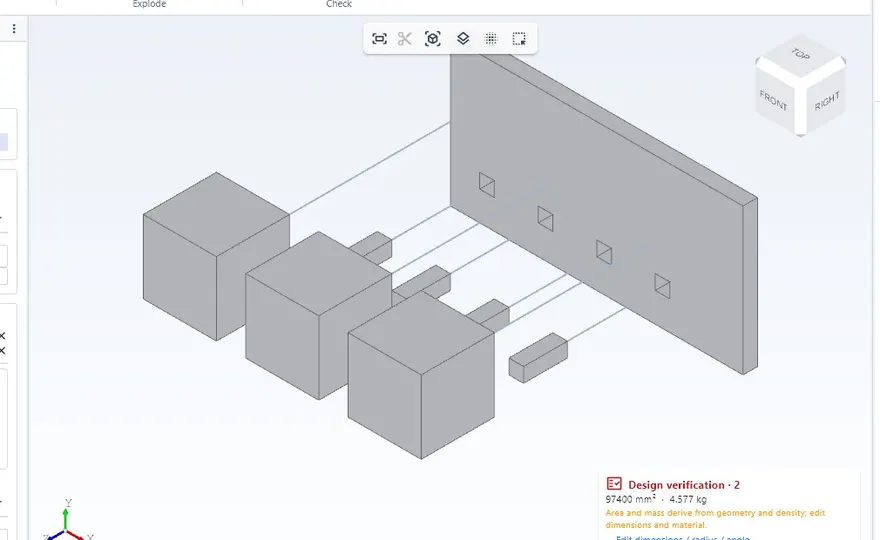
Mates, patterns, interference, exploded views with steps and JIS fasteners chosen by load and thickness.
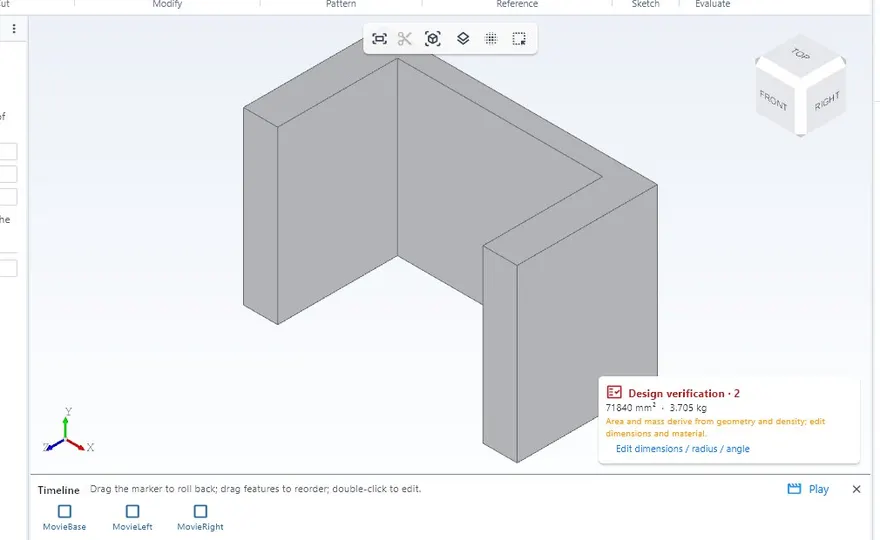
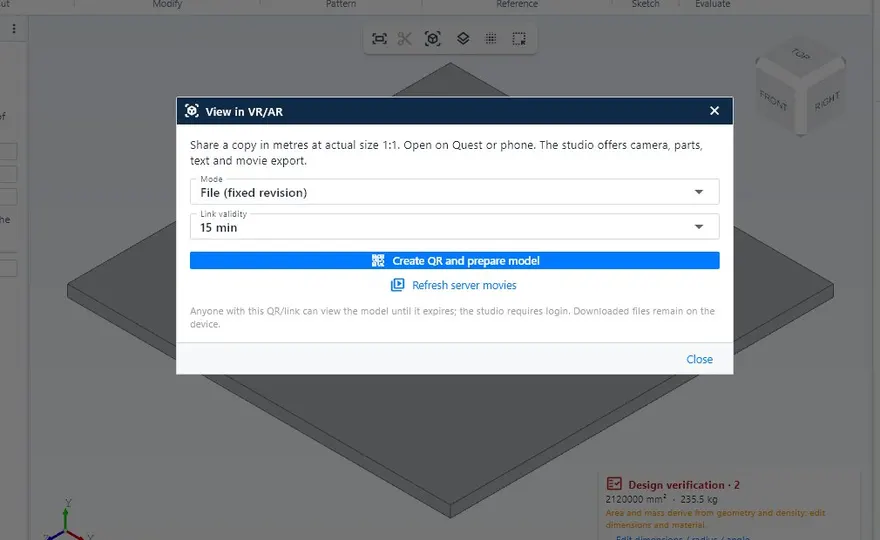
Replay the assembly on the timeline and export MP4 or GIF. Export GLB/USDZ at real size to view it in a VR headset or on a phone.
Static, natural frequencies and buckling of structures, plates under pressure and thermal. It runs in a separate program, only when you ask.
Generates and repairs models from a drawing, photo or description, and KoCAD checks the result before applying it. Customers connect their own AI key or subscription.
Opens fast on ordinary PCs, with or without a graphics card, and works offline. Imports and exports STEP, DXF, DWG, GLB and STL.
钣金与钢结构设计每天要用的功能全部内置:无需另购模块,也无需从零设置标准。
钣金、焊接结构、2D 图纸、物料清单和切割用 DXF,同一个文件、同一个界面。
在“新建项目”中选择国家:投影法、图框、螺纹、焊接、单位和公差都按正确标准设置。
自动选择投影:JIS 与 ASME 用第三角法,ABNT、ISO、EN 用第一角法。
带质量和工序的清单与每块板的 DXF 来自同一个模型。改动 3D,全部同步更新。
孔 × 螺栓、边距、焊接 × 材料、薄板、护栏和楼梯。每条提示都附有原因和依据。
有无独立显卡都能快速启动,并可离线工作。支持 Windows、macOS 和 Linux。
一个许可最多用于公司 3 台电脑。换电脑时,断开一台,在新电脑登录即可。
根据图纸、照片或描述生成并修正模型,KoCAD 会在应用前进行校验。请使用您自己的 AI 密钥。
团队正在开发的功能。每项都会通过常规更新加入您的授权,无需额外费用,也无需重新安装。
一个只放必要功能(箱体、钣金、孔、尺寸、图纸、DXF)的大按钮页签,第一天就能上手。
用于向客户展示模型的灯光预设,背景简洁、镜头流畅。
目前材料目录为 JIS。标准包将按此顺序加入各国型材、板材与材料。
更多载荷与支撑类型,并在脱离 BETA 前与公开参考案例比对验证。
自由曲面建模,以及引用其他文件并随之更新的图纸。
防止两人同时编辑同一文件,每个版本都会记录作者与日期。
审批步骤:冻结送往车间版本的图纸、DXF 与材料清单。
不承诺日期:状态会随进展在此更新。已发布的功能见手册的“新功能”。
一次性安装费加年度许可,最多可用于贵公司 3 台电脑。

面向制造的 3D CAD:钣金、结构、2D、部材表和 DXF。
最多 3 台电脑
申请使用在线销售即将开放。提交申请后,我们的团队会与您联系。
以上价格不含税。含税(10%):¥550,000 + ¥110,000/年 · 首次付款 ¥600,000(含税 ¥660,000)。
测试版测试版(BETA):KoCAD 几乎每天自动更新,功能在改进过程中可能变化。您的文件保存在自己的电脑上,不会因更新而丢失。支持请通过客户门户。
与软件内“帮助 → Wiki / 指南”相同的文章。
此文章暂无您的语言版本,以日语显示。
Recommended: 8 GB of RAM; a dedicated graphics card is not required. Internet to sign in, activate the licence and update; after that, local work continues offline. The macOS and Linux versions are in BETA.
The installer is unlocked after purchase, in the customer portal. Already a customer? Sign in to download the latest version.
The installation (one-time) and the annual licence for up to 3 computers, with the updates released while it is active.
After a short grace period the licence expires: KoCAD warns you and blocks saving and exporting. Your files are never deleted and become editable again when you renew.
Yes. Disconnect a device in the customer portal or inside KoCAD and sign in on the new one.
Yes, after signing in and activating. Internet is used to sign in, renew the licence, update and read the manual.
It imports STEP, DXF, DWG, STL and GLB. Closed native formats of other programs are not read directly: export them to STEP.
Bob, the AI assistant, works with your own AI key or subscription. KOMORI’s internal AI engines are not part of the licence.
Full JIS. ANSI/ASME, ABNT/ISO, ISO and EN have the sheet and projection rules; material catalogues for them are not available yet.
The qualified invoice (適格請求書) and the receipt are in the DX Division customer portal.