

01
Parametric modelling
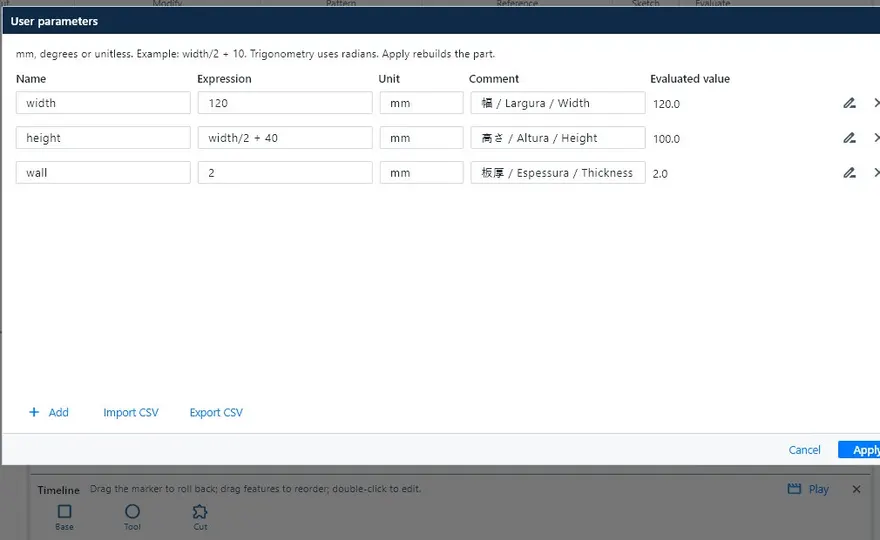
Constrained, dimensioned sketches, extrude, revolve, sweep, loft, fillet, chamfer, shell, rib and patterns. Parameters and formulas (width/2 + 10) and an editable timeline.
Dựng mô hình 3D, khai triển tấm, dựng kết cấu hàn và xuất bản vẽ JIS, danh sách vật tư (部材表) cùng DXF để cắt. KOMORI phát triển cho xưởng sản xuất.
Version 0.31 · Windows · macOS (Intel and Apple Silicon) · Linux
Đây là ví dụ minh họa do chính KoCAD tạo và xuất: bệ 900 × 450 × 400 mm với 43 chi tiết. Đổi chế độ, nhấp vào chi tiết và theo dõi quy trình 3D → 部材表 → DXF.

This browser does not support WebGL. The bill of materials and the DXF files below are still available.
The 3D view could not be opened in this browser.
Model, bill of materials and DXF are real files exported by KoCAD from a demonstration case (no customer data). Purchased items (feet and handles) are shown in orange, as in KoCAD, until the supplier code is confirmed. · Software licences
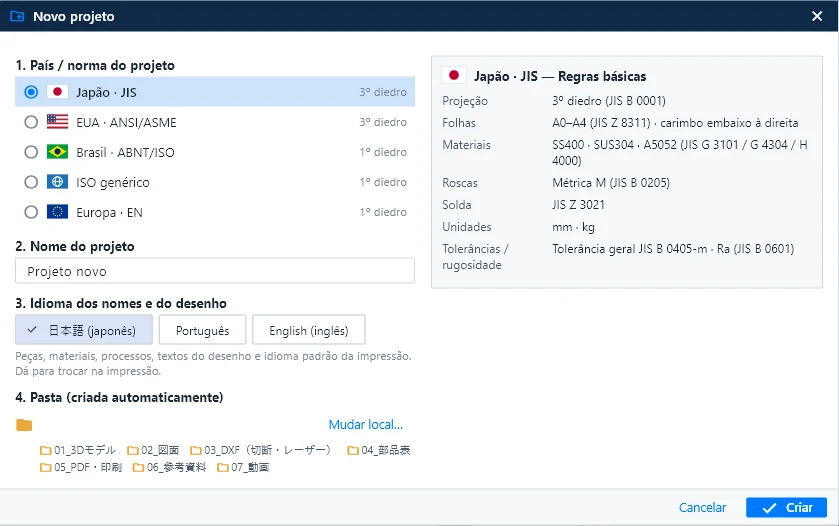
Mới (Ctrl+N), Lắp ráp mới và Bản vẽ mới đều bắt đầu từ cùng một cửa sổ: quốc gia / tiêu chuẩn, tên, ngôn ngữ bản vẽ và thư mục dự án dựng sẵn.
Danh mục vật liệu hiện là JIS; tiêu chuẩn khác sẽ đến theo gói (xem “Sắp có”). KoCAD không tự dùng dữ liệu JIS nếu bạn không chọn. Xem trong hướng dẫn ↗
Chỉ những gì KoCAD đã làm được hôm nay, với màn hình thật của phần mềm.
Constrained, dimensioned sketches, extrude, revolve, sweep, loft, fillet, chamfer, shell, rib and patterns. Parameters and formulas (width/2 + 10) and an editable timeline.
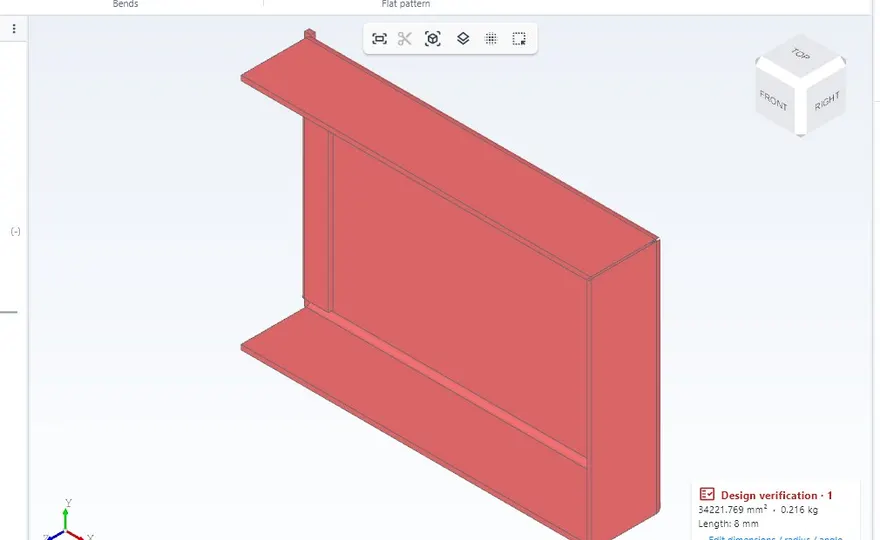
Base flange, edge flanges, hem and sketched bend. Flat patterns with K = 0.44 and a DXF per part, with bend radius, relief and minimum flange rules.
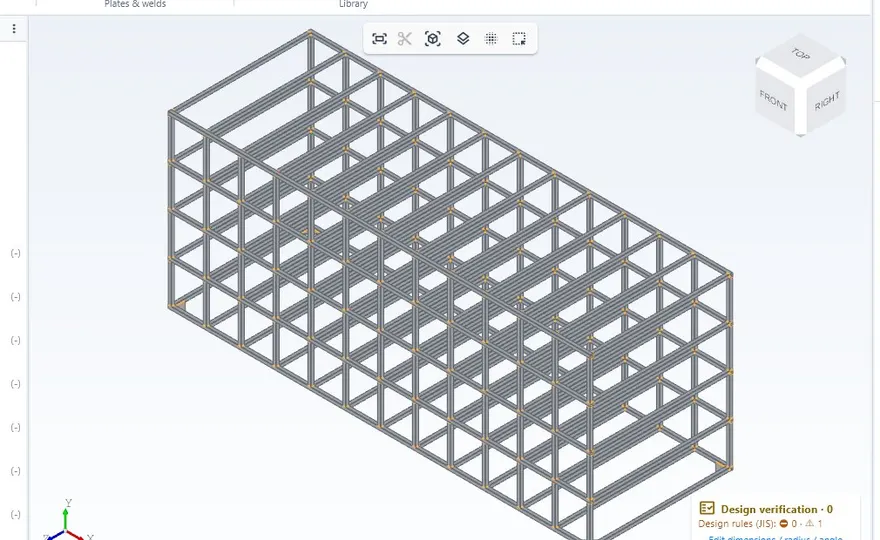
Structural members with JIS profiles, trim and extend, corner treatment, gussets, end caps and weld beads with JIS symbols. Cut list with bar yield.
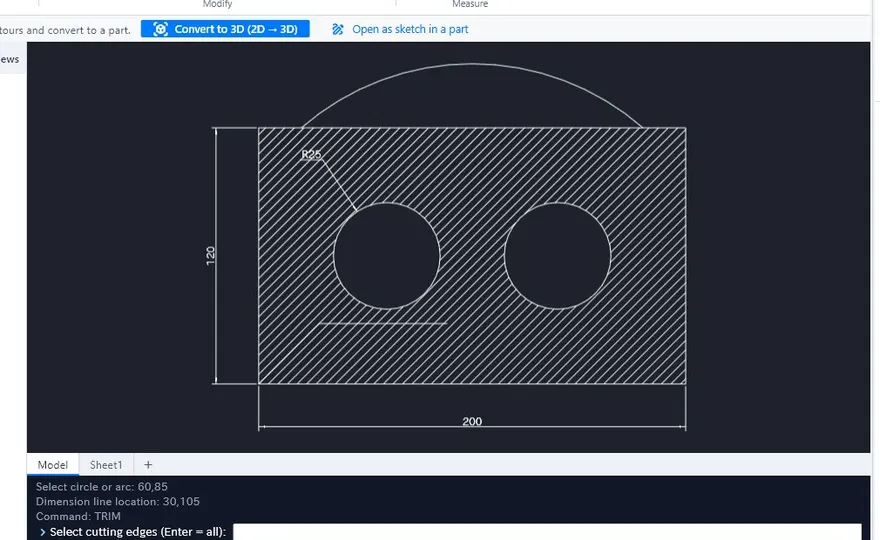
Third-angle views, section, detail and flat pattern, associative dimensions, tolerances, GD&T and balloons. A command line like 2D CAD tools. PDF, DXF and DWG.
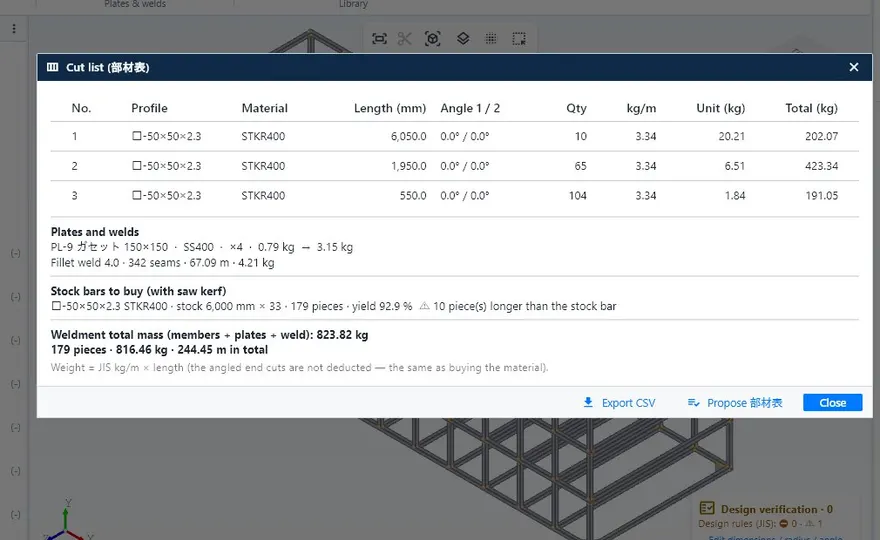
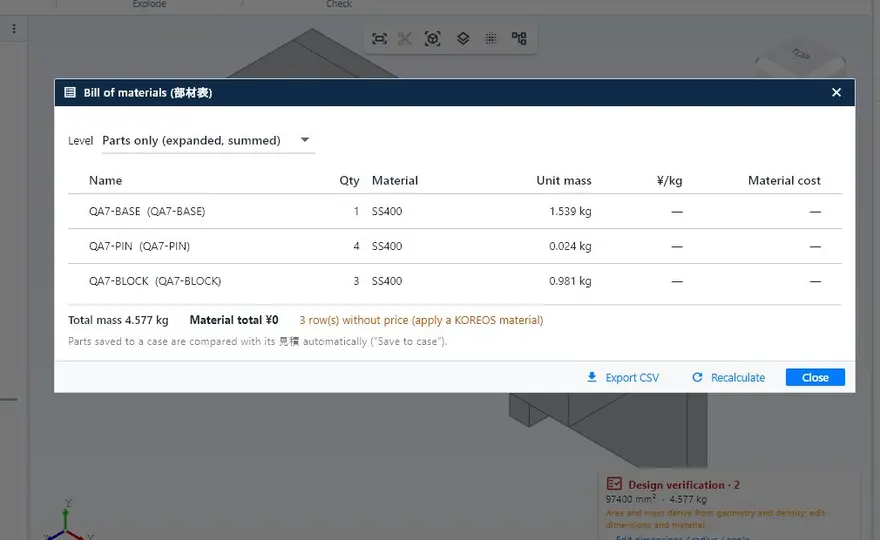
The list comes from the model with profile, length, mass and processes. Export to CSV, Excel or PDF.
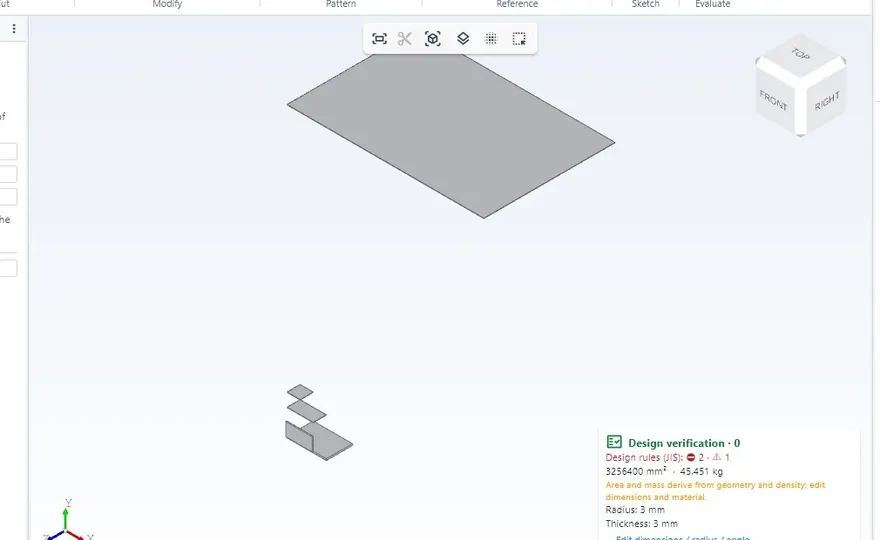
While you model: hole vs bolt, edge distance and pitch, weld vs material, thin sheet, guardrails and stairs. Every warning shows the reason and the source.
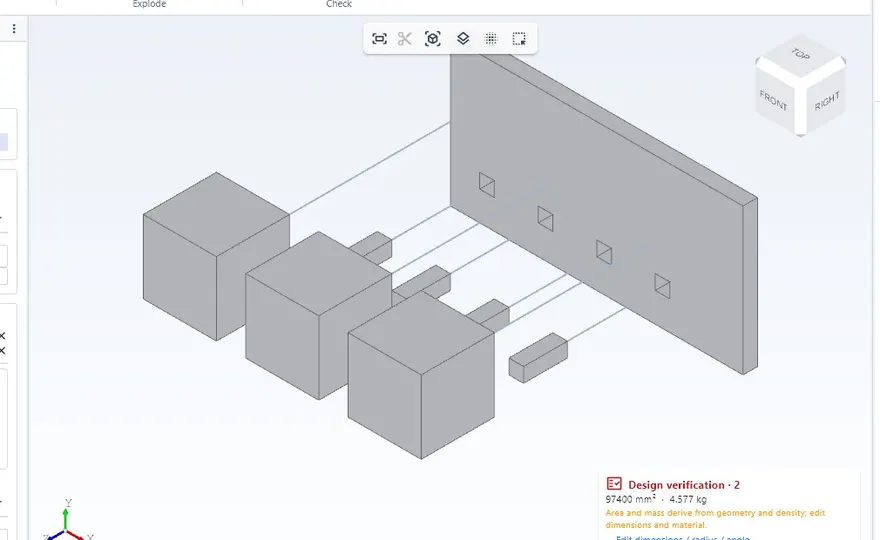
Mates, patterns, interference, exploded views with steps and JIS fasteners chosen by load and thickness.
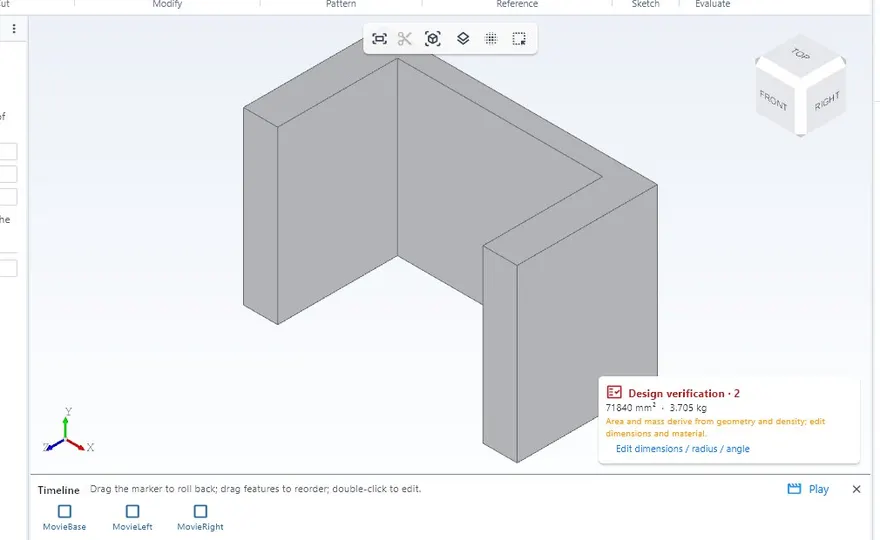
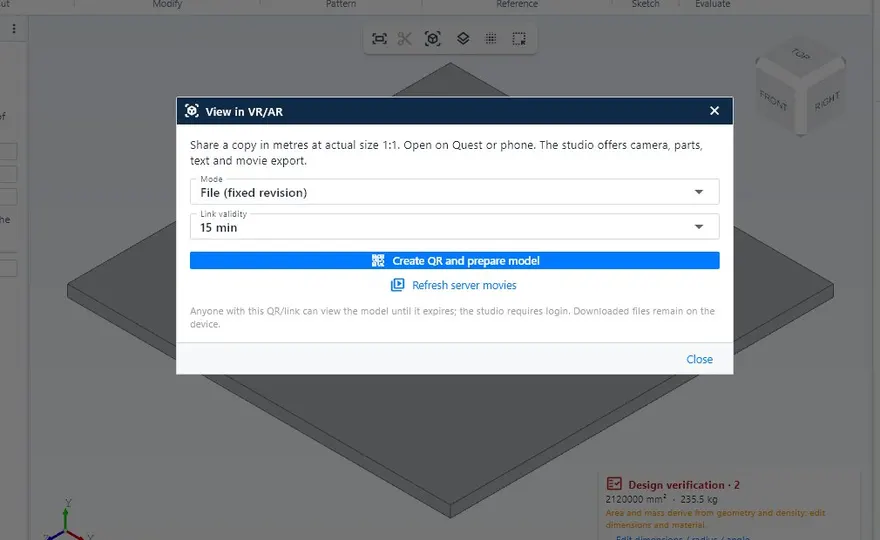
Replay the assembly on the timeline and export MP4 or GIF. Export GLB/USDZ at real size to view it in a VR headset or on a phone.
Static, natural frequencies and buckling of structures, plates under pressure and thermal. It runs in a separate program, only when you ask.
Generates and repairs models from a drawing, photo or description, and KoCAD checks the result before applying it. Customers connect their own AI key or subscription.
Opens fast on ordinary PCs, with or without a graphics card, and works offline. Imports and exports STEP, DXF, DWG, GLB and STL.
Những gì người thiết kế kết cấu và tôn tấm dùng mỗi ngày đều có sẵn: không cần mô-đun riêng, không phải thiết lập tiêu chuẩn từ đầu.
Tôn tấm, kết cấu hàn, bản vẽ 2D, danh sách vật tư và DXF cắt trong cùng một tệp, cùng một giao diện.
Chọn quốc gia trong Dự án mới: phép chiếu, khung bản vẽ, ren, hàn, đơn vị và dung sai theo đúng tiêu chuẩn.
Tự chọn phép chiếu: góc thứ ba cho JIS, ASME; góc thứ nhất cho ABNT, ISO, EN.
Danh sách có khối lượng, công đoạn và DXF của từng tấm đều ra từ cùng một mô hình. Đổi 3D, mọi thứ đổi theo.
Lỗ × bu lông, khoảng cách mép, hàn × vật liệu, tấm mỏng, lan can và cầu thang. Mỗi cảnh báo có lý do và nguồn.
Mở nhanh dù có hay không có card đồ họa và làm việc offline. Windows, macOS và Linux.
Một giấy phép dùng cho tối đa 3 máy tính của công ty. Đổi máy? Ngắt một máy và đăng nhập trên máy mới.
Tạo và sửa mô hình từ bản vẽ, ảnh hoặc mô tả, và KoCAD kiểm tra trước khi áp dụng. Dùng khóa AI của riêng bạn.
Các tính năng nhóm đang xây dựng. Mỗi tính năng đến qua bản cập nhật thường của giấy phép — không tốn thêm, không cần cài lại.
Một tab chỉ có phần cốt lõi — hộp, tấm, lỗ, kích thước, bản vẽ, DXF — nút lớn, dùng được ngay ngày đầu.
Các thiết lập ánh sáng sẵn để trình bày mô hình cho khách, nền gọn và camera mượt.
Hiện danh mục vật liệu là JIS. Các gói tiêu chuẩn sẽ thêm thép hình, tấm và vật liệu từng nước theo thứ tự này.
Thêm loại tải và gối đỡ, đối chiếu với các bài toán tham chiếu trước khi rời BETA.
Dựng bề mặt tự do và bản vẽ tham chiếu tệp khác, tự cập nhật theo.
Hai người không sửa cùng một tệp cùng lúc; mỗi bản sửa được lưu kèm tác giả và ngày.
Bước phê duyệt khóa bản vẽ, DXF và danh sách vật liệu của bản gửi xưởng.
Không hứa ngày: trạng thái thay đổi theo tiến độ. Tính năng đã phát hành có trong mục Tính năng mới của hướng dẫn.
Phí cài đặt một lần và giấy phép năm cho tối đa 3 máy tính của công ty bạn.

CAD 3D cho gia công: tôn tấm, kết cấu, 2D, 部材表 và DXF.
tối đa 3 máy tính
Yêu cầu sử dụngBán hàng trực tuyến sắp mở. Hãy gửi yêu cầu, đội ngũ của chúng tôi sẽ liên hệ.
Giá chưa gồm thuế. Đã gồm thuế (10%): ¥550,000 + ¥110,000/năm · thanh toán lần đầu ¥600,000 (¥660,000 đã gồm thuế).
BETAPhiên bản BETA: KoCAD được cập nhật tự động gần như mỗi ngày và tính năng có thể thay đổi. Tệp của bạn vẫn ở trên máy tính và không mất khi cập nhật. Hỗ trợ qua cổng khách hàng.
Luật giao dịch thương mại (特定商取引法)Điều khoản sử dụngQuyền riêng tư
The same articles shown inside the program under Help → Wiki / Guide.
Bài viết này chưa có bản tiếng Việt nên hiển thị bằng tiếng Nhật.
Recommended: 8 GB of RAM; a dedicated graphics card is not required. Internet to sign in, activate the licence and update; after that, local work continues offline. The macOS and Linux versions are in BETA.
The installer is unlocked after purchase, in the customer portal. Already a customer? Sign in to download the latest version.
The installation (one-time) and the annual licence for up to 3 computers, with the updates released while it is active.
After a short grace period the licence expires: KoCAD warns you and blocks saving and exporting. Your files are never deleted and become editable again when you renew.
Yes. Disconnect a device in the customer portal or inside KoCAD and sign in on the new one.
Yes, after signing in and activating. Internet is used to sign in, renew the licence, update and read the manual.
It imports STEP, DXF, DWG, STL and GLB. Closed native formats of other programs are not read directly: export them to STEP.
Bob, the AI assistant, works with your own AI key or subscription. KOMORI’s internal AI engines are not part of the licence.
Full JIS. ANSI/ASME, ABNT/ISO, ISO and EN have the sheet and projection rules; material catalogues for them are not available yet.
The qualified invoice (適格請求書) and the receipt are in the DX Division customer portal.
Mua trực tuyến hoặc liên hệ Bộ phận DX của KOMORI để xem demo.
KOMORI株式会社 · DX事業部 · [email protected]