

Who it is for
- Foreign-object checks on sponges, filters, pads and sheets
- Checking dimensions and shape of metal parts
- Quality teams that need records (date, lot, photo)
- Lines with operators from several countries
Camera-based visual inspection: checks foreign objects, defects and dimensions, shows the verdict on a big screen and records everything.
Runs on a line-side PC and Android tablets. Set up per part and material; deployment is quoted after a sample evaluation.
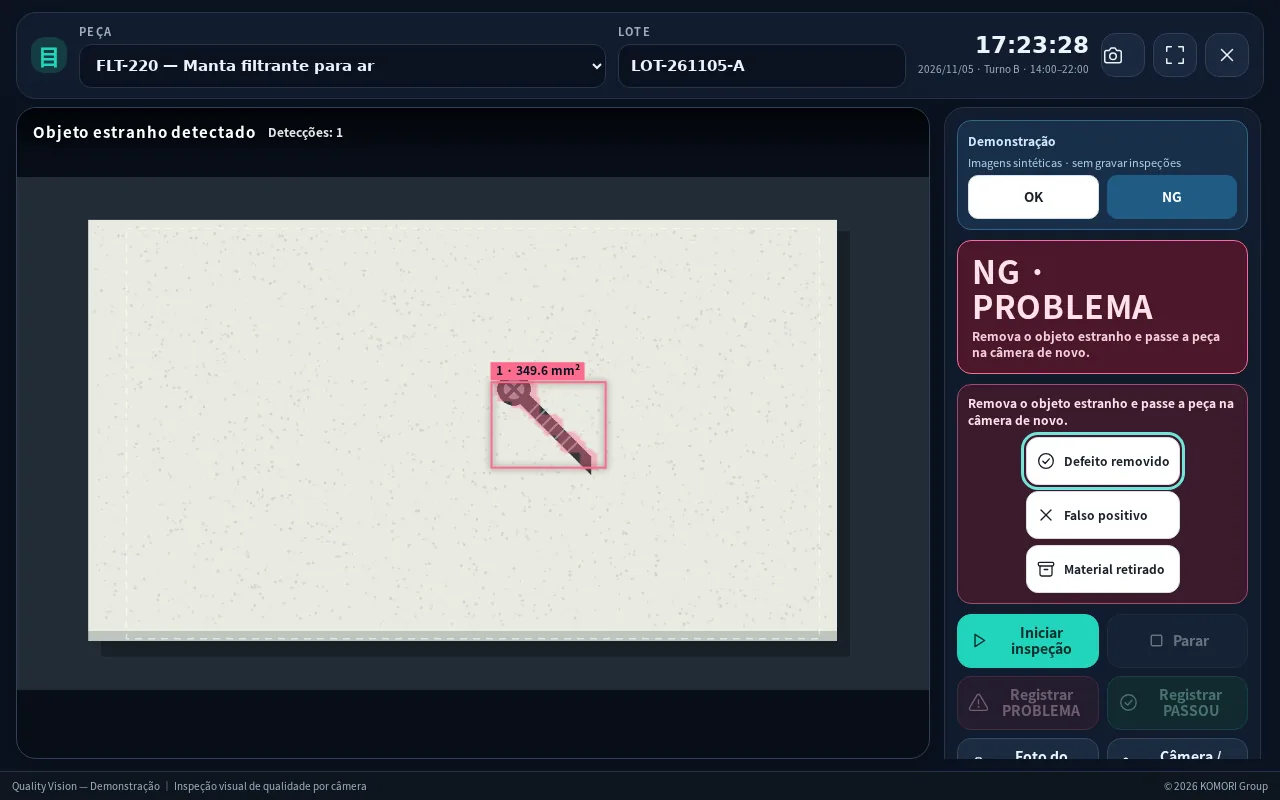
Inspection by eye alone gets tiring, misses things and leaves few records. QUALITY VISION keeps applying the same check by camera and keeps the result and photo. The final call and the action stay with the operator — and are recorded too.
A shared core plus an inspection profile per customer and material. The two main ones:
Place the part → the camera judges → the verdict is shown → it is recorded. Even handling a PROBLEM happens on one screen.
Place the part under the camera: it is compared with the good-part reference, foreign objects or defects are searched for and their size is shown in mm².
Can also measure dimensions from the top and side views. Four-point calibration with a target converts pixels to millimetres.
PASSED (green) or PROBLEM (red) across the screen, readable from a distance, with a sound alert.
On a PROBLEM the operator records “Defect removed”, “False positive” or “Material removed”. The station then waits for the next part before judging again.
Keyboard shortcuts, USB foot pedal and full-screen kiosk mode. Shift, part and lot are chosen on screen.
The line-side PC (browser) and the Android tablet app share the same part setup and criteria. Tablets keep inspecting offline and upload when the connection returns.
OK/NG totals per shift and day, yield and defect types. History keeps date, lot, station, operator and photo, and exports to CSV for Excel.
Four roles: administrator, quality, operator and viewer. Invite links, password reset, registered devices and an audit log.
All screens use demo parts and images — no real customer data.
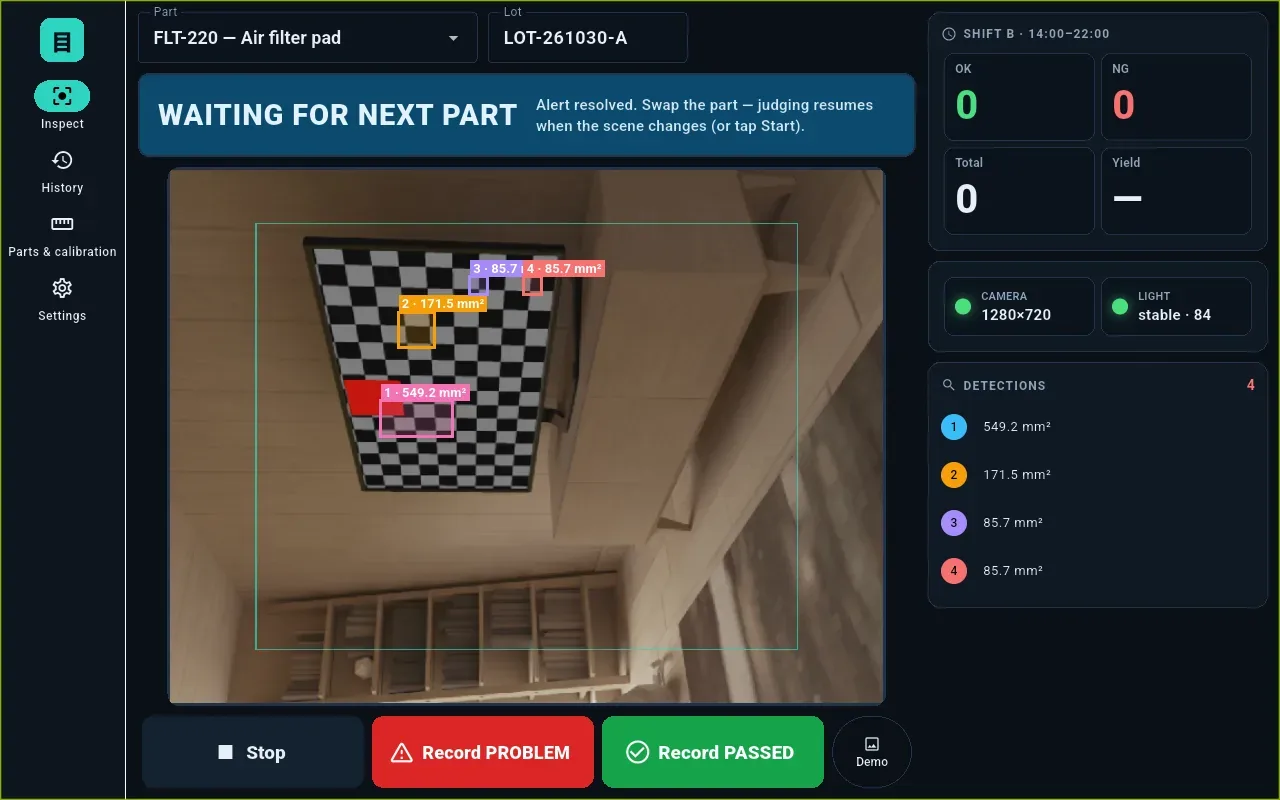
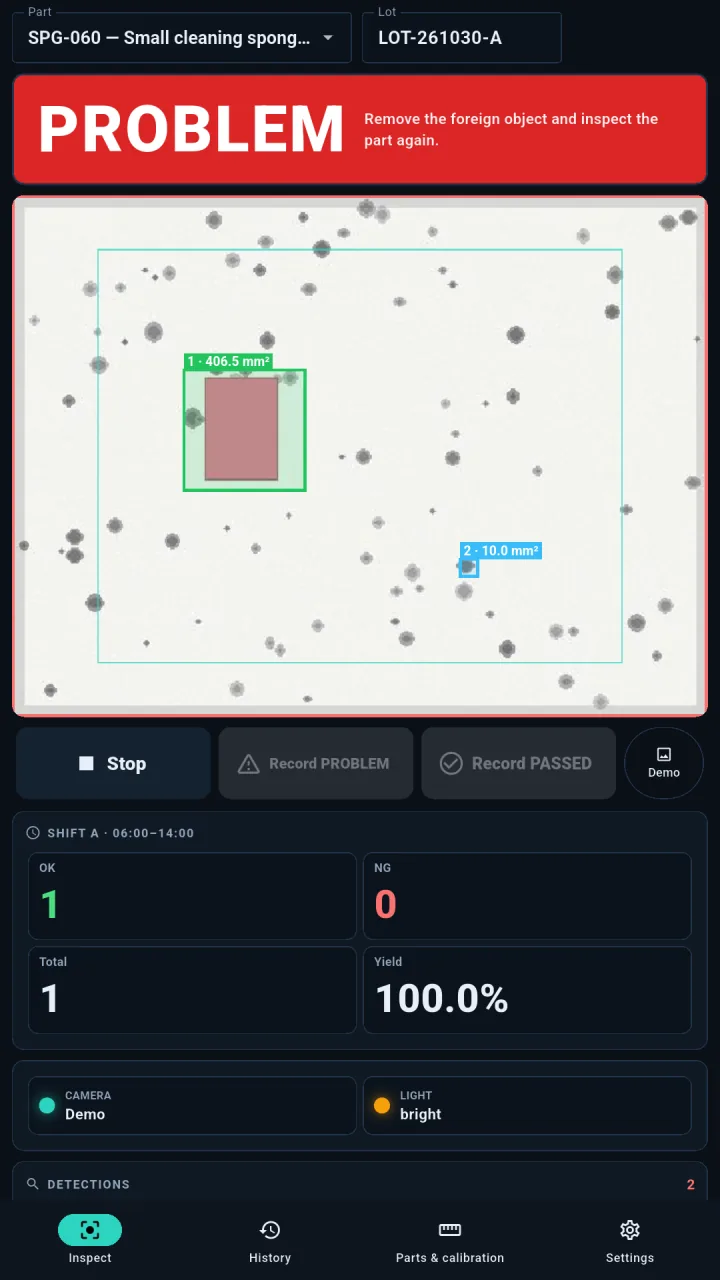
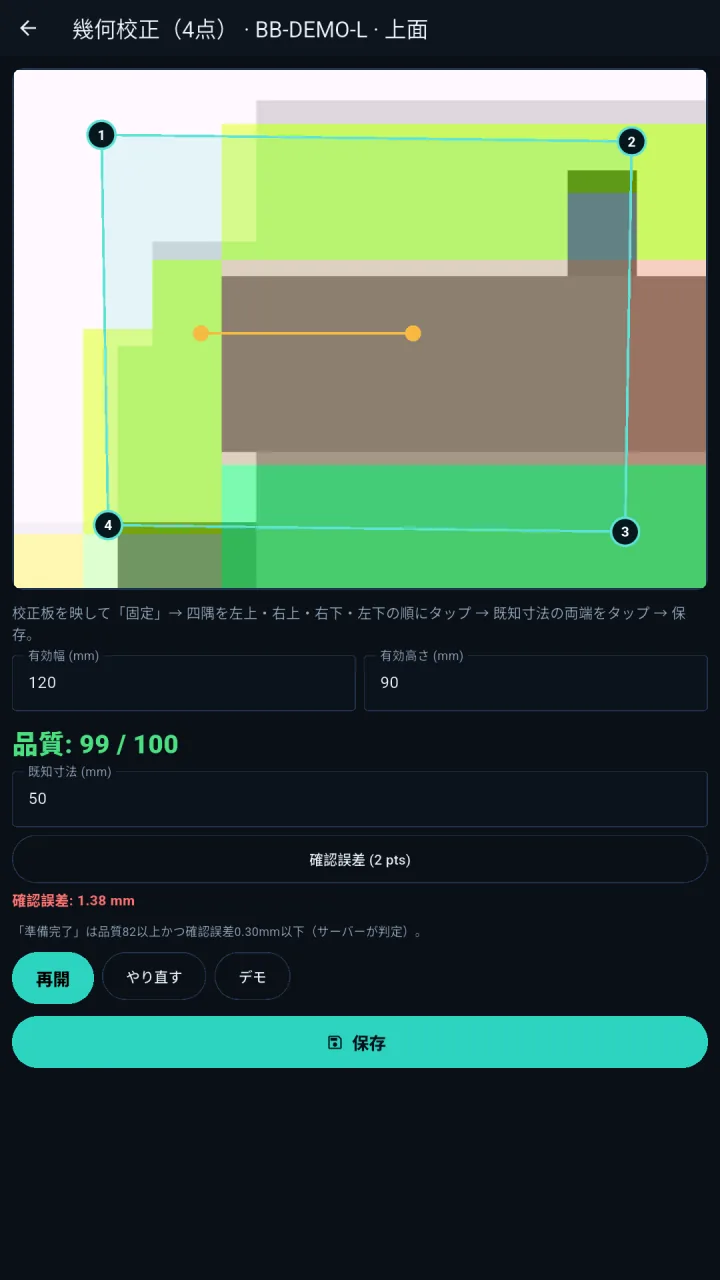
QUALITY VISION has no free tier and no monthly plan: it is deployed software. The price depends on stations, number of parts, cameras and lighting, installation and training — so each quote is individual, after the sample evaluation (no list price).
We learn about the part, the defects that matter, line speed and the installation spot.
We test with good and defective samples to check camera, lighting and what can be detected.
Based on the result we quote the scope: stations, parts, cameras, installation and training.
We register parts, references and calibration with your team, train the operators and go live. Later tuning is available too.
No. QUALITY VISION is deployed to fit your part, camera and site, and the deployment is quoted per project. There is no free tier and no online purchase. Support and tuning are defined in the quote as well.
What can be detected depends on the part’s colour and shape, the camera, lighting and installation. That is why we evaluate real samples first and the quote states what was confirmed. We do not guarantee it fully replaces human visual inspection.
A line-side PC (runs in the browser) with a camera, or an Android tablet. Lighting suited to the part is essential. During the evaluation we check whether your equipment works; anything missing goes into the proposal.
Each company runs in its own separate environment (dedicated container and database). KOMORI株式会社 (Japan) is responsible for management and security, on servers in the United States (GeHost). Your data never mixes with other customers’ data.
Japanese, Portuguese and English, switchable per operator — good for multinational teams.
Yes. There is an in-product guide and a public manual (Wiki) covering first steps and each screen. We also train your team during rollout.
Open the user manual (Wiki) ↗ · KOMORI Software (K-Units, KOREOS MENT…)
We start together with a sample evaluation.